
Xorble and Azure SaaS Marketplace
Use and licensing of the Xorble Storage Provider for Azure Key Vault is managed through the Azure Marketplace.
Alternatively, you can go to the Azure Portal, search for Xorble and sign up for the Xorble SaaS marketplace offering (Xorble Key Storage Provider for Key Vault) and this will create a Subscription to the Offer. Once when a Subscription to this Offer has been created, the Xorble licensing service is able to collect billing information and license use of the KSP.
After setting up your subscription to the Xorble SaaS Offer for the KSP, you can see the Subscription information in the Xorble SaaS portal at https://xorble-mart-portal.azurewebsites.net/
Licensing of the KSP is provided by an Azure marketplace-based billing service where consumption is directly billed via your normal Azure billing mechanisms.
Use of the KSP is metered every hour with pricing based on the number of logical processors (vCores), RAM and whether Certificate Services and NDES are installed. Telemetry is collected approximately every 30 minutes and recorded with an hourly granularity for billing purposes. Telemetry includes the Entra tenant Id, client Id, client version, processor architecture, number of logical processors (vCores), total RAM (MB) and whether Certificate Services and NDES are installed.
The KSP is metered and licensed using REST API calls to a URL xorbleksp4kvlicensing.https://https://xorble.com/ and this URL must be allowed outbound for the KSP to function.
The following table shows the expected costs for the KSP per hour based on core and RAM usage. The first two rows are for servers running PKI Roles (AD CS or NDES) and the last two roles are costs for other server types.
|
$/hour |
|
|
PKI Core Cost |
0.05019 |
|
PKI RAM Cost |
0.00240 |
|
Core Cost |
0.01004 |
|
RAM Cost (GB) |
0.00048 |
For PKI 4 core server with 16GB of RAM, cost is approximately $175/month while for a non PKI server cost would be approximately $45/month.
Subscribe to Xorble Key Storage Provider for Key Vault within Azure Marketplace
The Xorble Key Storage Provider for Key Vault SaaS Resource provides a mechanism to collect telemetry and bill usages of the KSP.
When the KSP is used without a corresponding SaaS resource then it will run in a trial mode for 4 weeks and then when the trial expires will cease to function (you may see error 15861 logged when this happens). Therefore, the SaaS Resource needs to be created and configured before the end of the trial period of the KSP.
Only a single Xorble SaaS resource is required for all virtual machines used within a Entra tenant. It is important to understand that a single Xorble SaaS resource will be used for all virtual machines across the entire tenant regardless of how many VMs use the KSP.
High level approach is as follows:
- Create new empty Resource Group for Xorble KSP4KV SaaS
- Search for Xorble Key Storage Provider for Key Vault SaaS Resource in marketplace
- Create new Xorble SaaS resource from the Azure Marketplace
- Wait for the confirmation email
- Configure the new account
Subscribe to Xorble Key Storage Provider for Key Vault for Azure CSP Customers
If you purchase your Azure via Cloud Solution Providers (CSP) then please contact us with details of the CSP including CSP name, CSP Identity GUID and details to configure a private offer for the service.
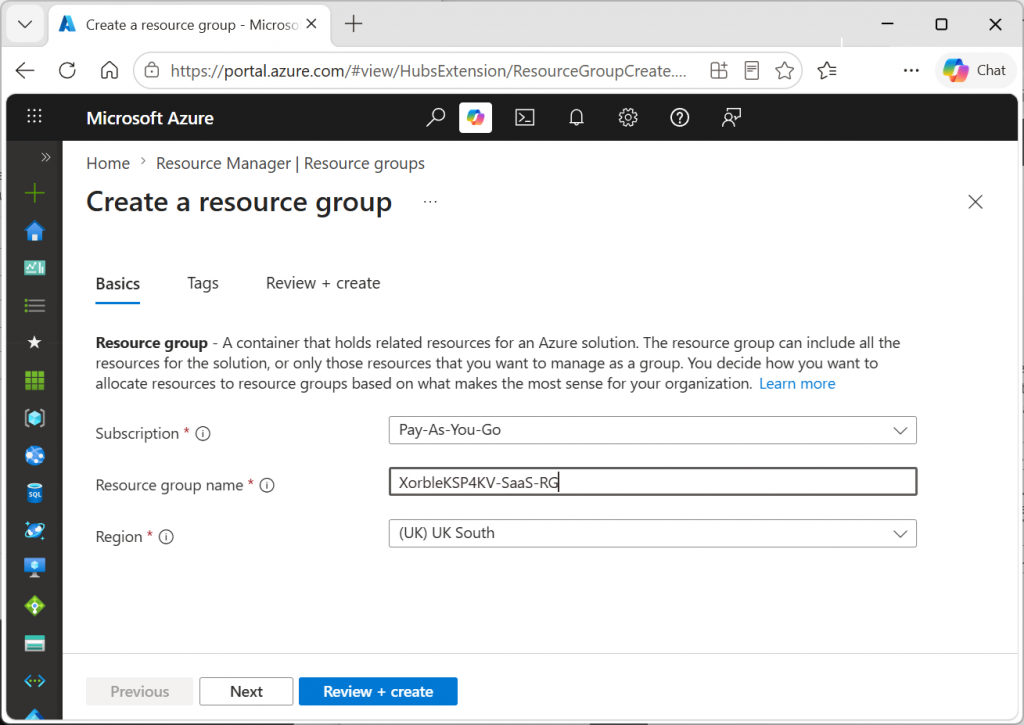
Create new empty Resource Group for Xorble KSP4KV
It is recommended to create a new Resource Group for the Xorble SaaS offering to make managing permissions and tracking billing data easier. Create a new Resource Group as shown below:
Direct Xorble SaaS Marketplace link
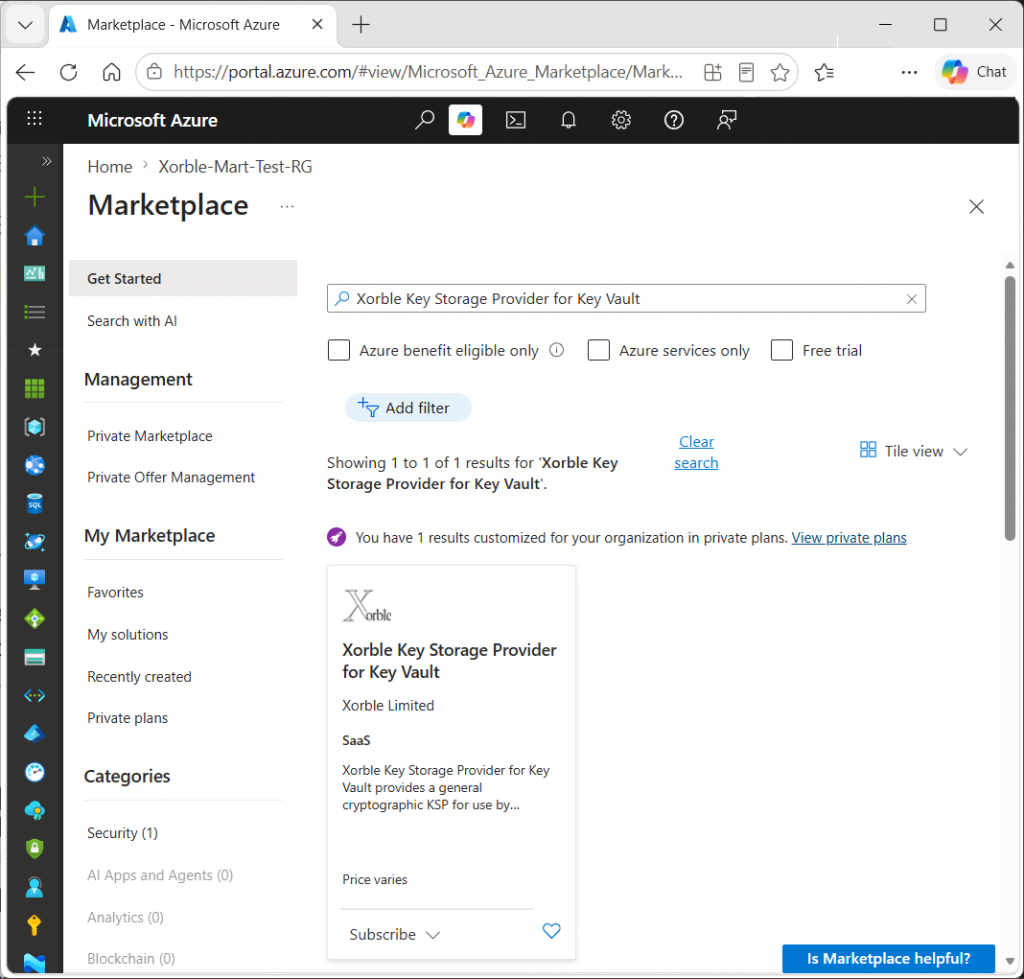
Search for Xorble SaaS in Marketplace
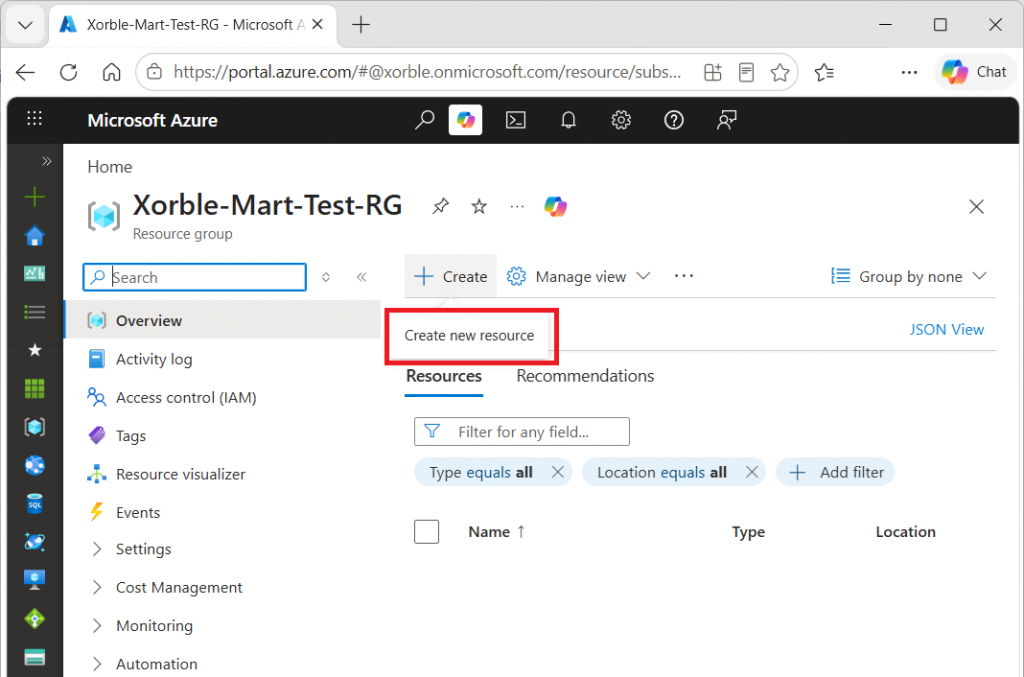
After creating a Resource Group, select “Create new resource” within the Resource Group:
Then search for the Xorble SaaS offering in the marketplace using the name Xorble (the full name is Xorble Key Storage Provider for Key Vault) as shown below:
Create new resource from the Azure Marketplace
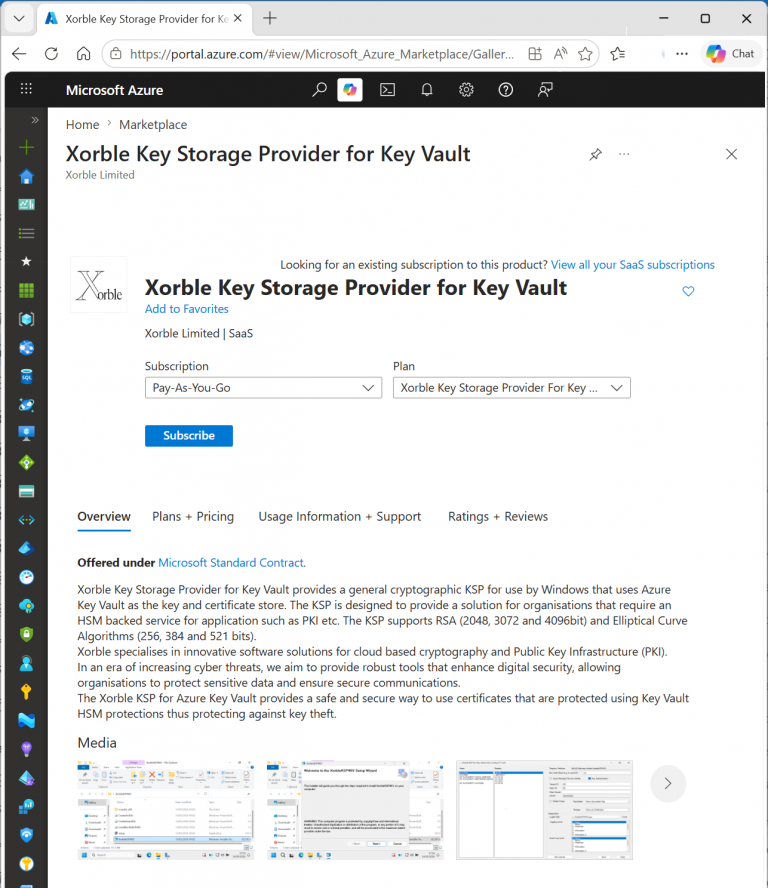
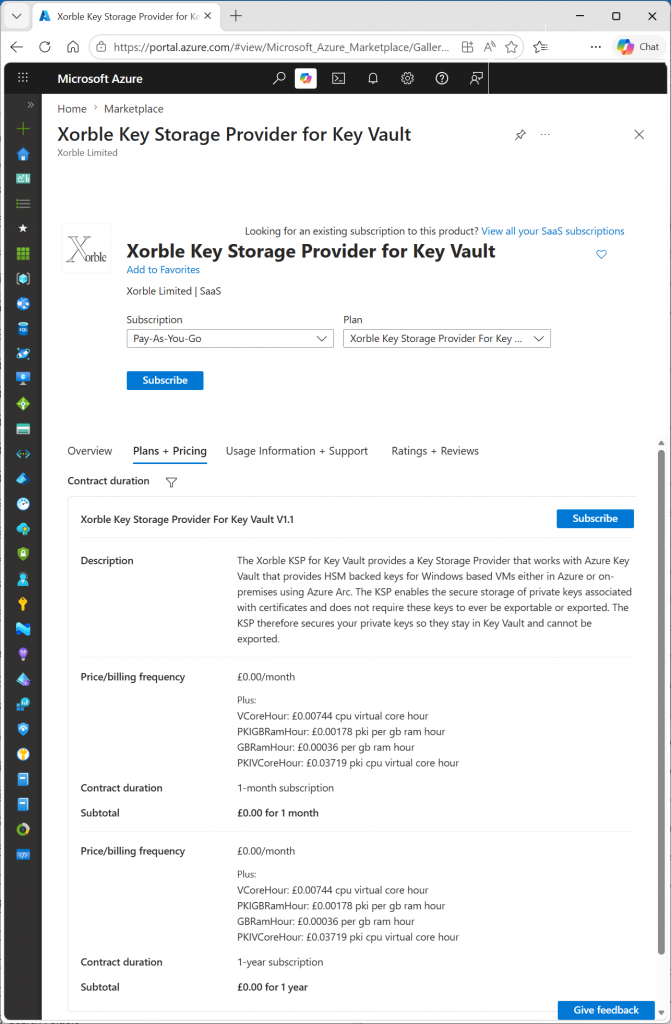
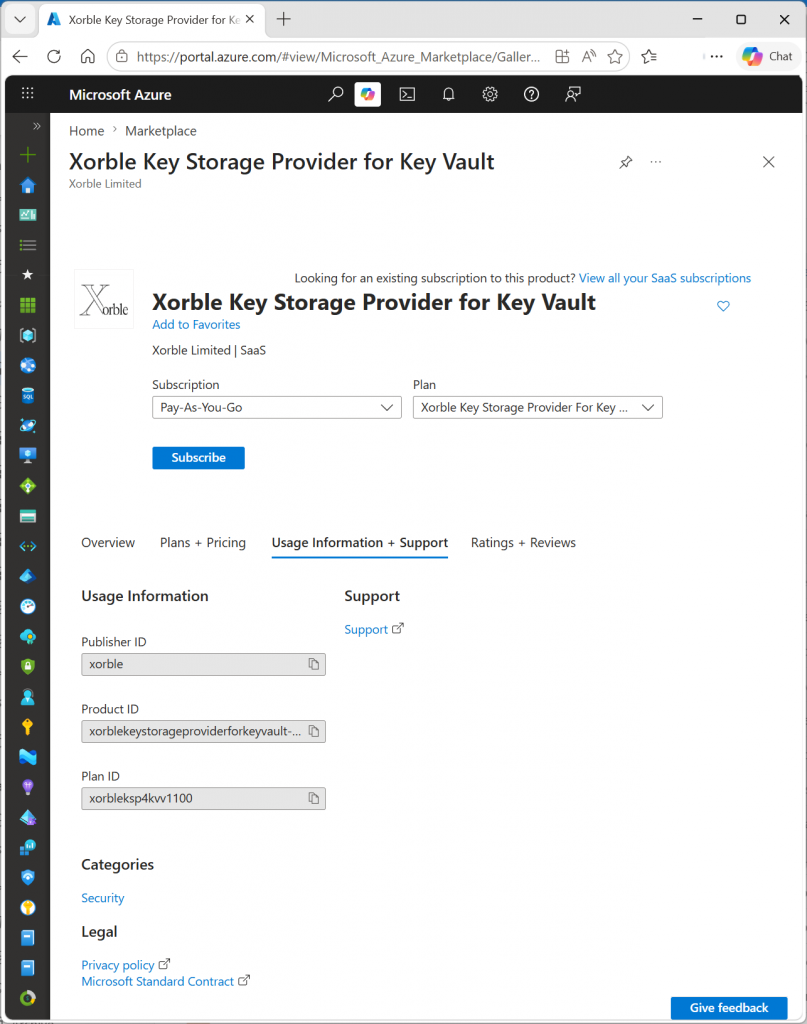
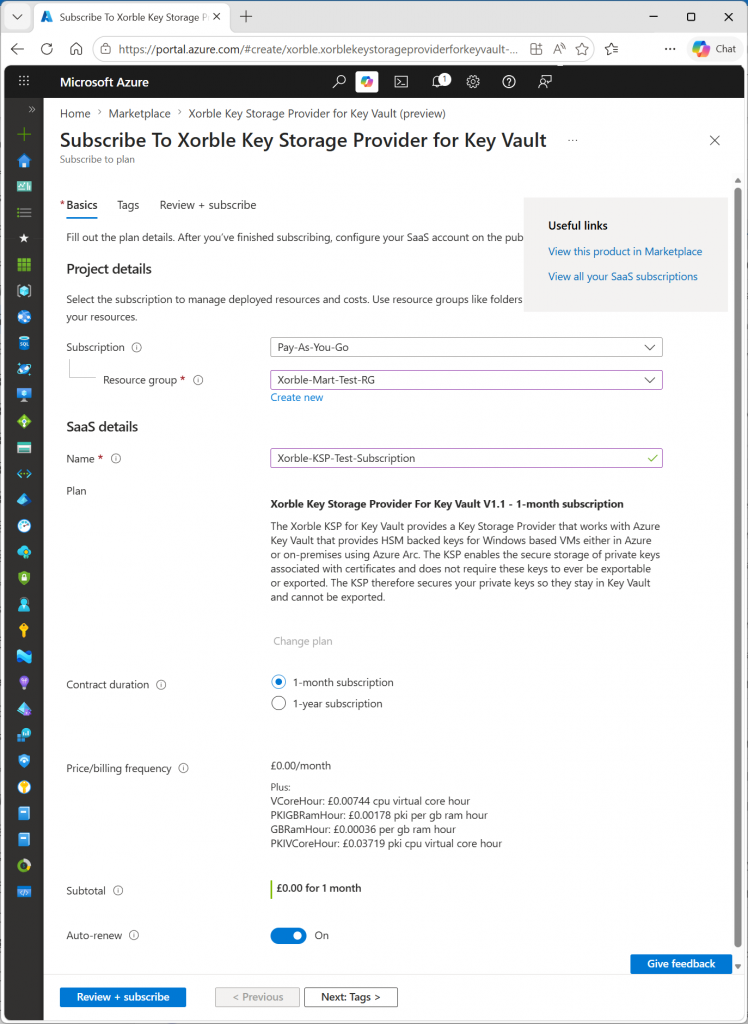
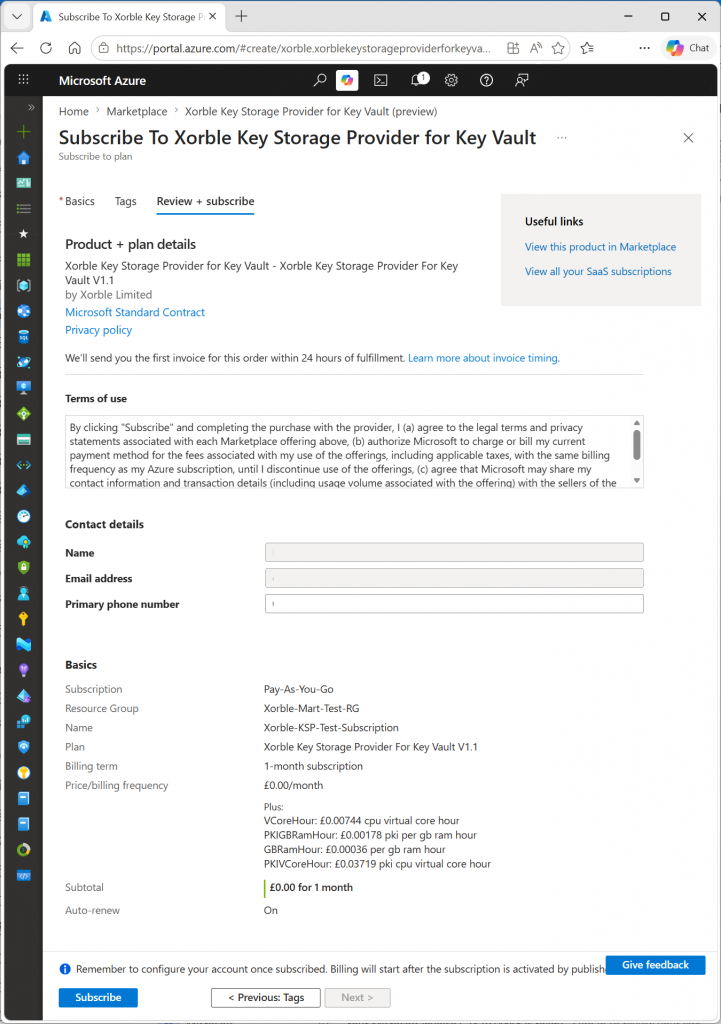
Select Subscribe within the marketplace to create a new Xorble Key Storage Provider for Key Vault SaaS Resource. The following screen shots show the process from Overview, Plans and Pricing, Usage Information and Support, Review and Subscribe:
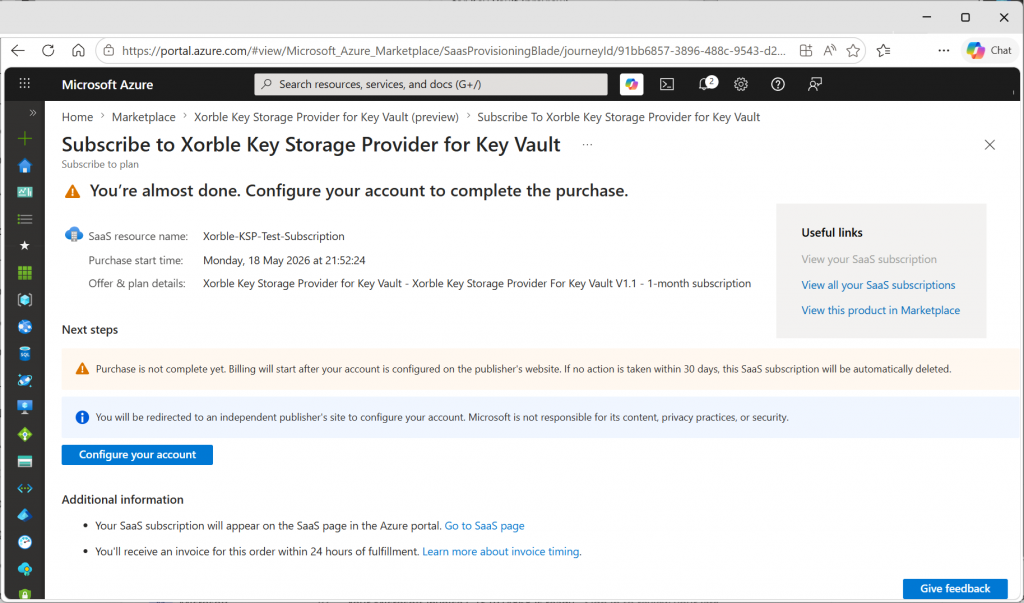
Configure the new account
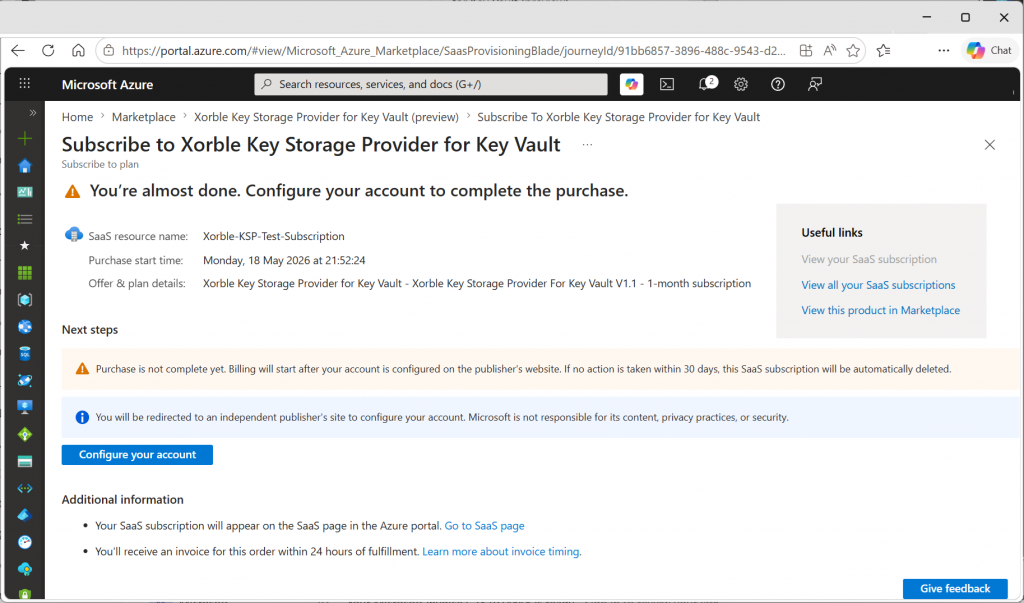
Configure your new account via Azure Portal
Select the Configure your account link in the Azure portal:
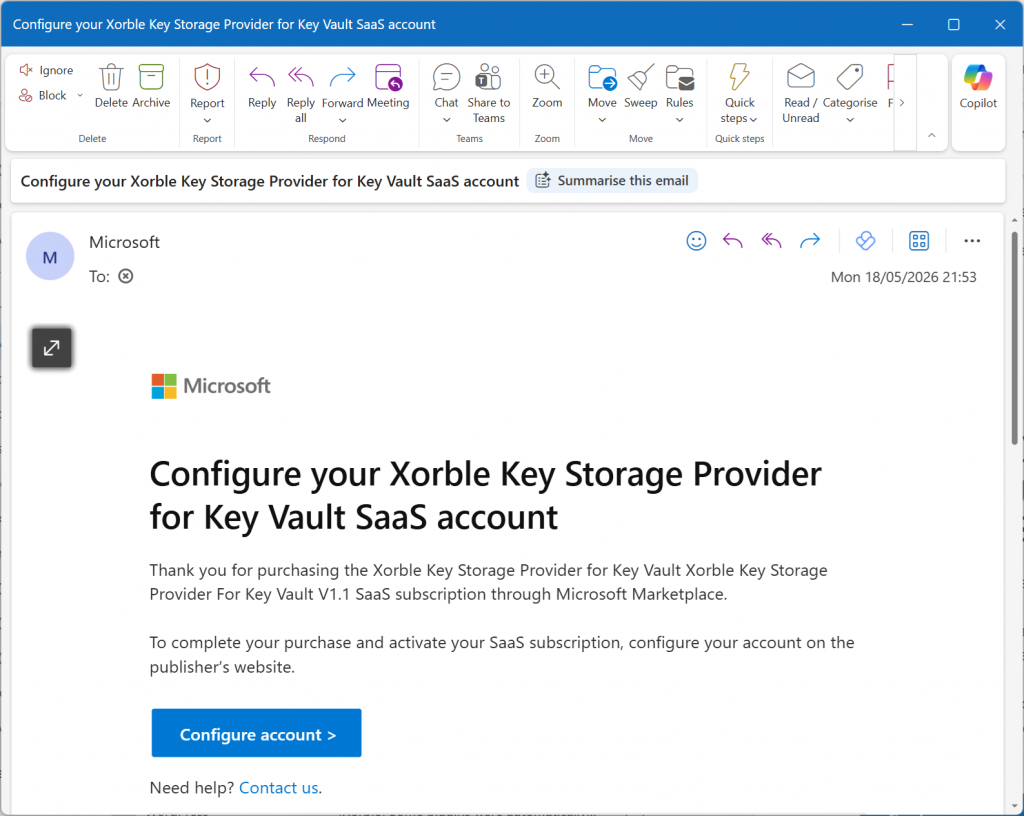
Configure your Account via Email
Alternatively select the link in the sent email:
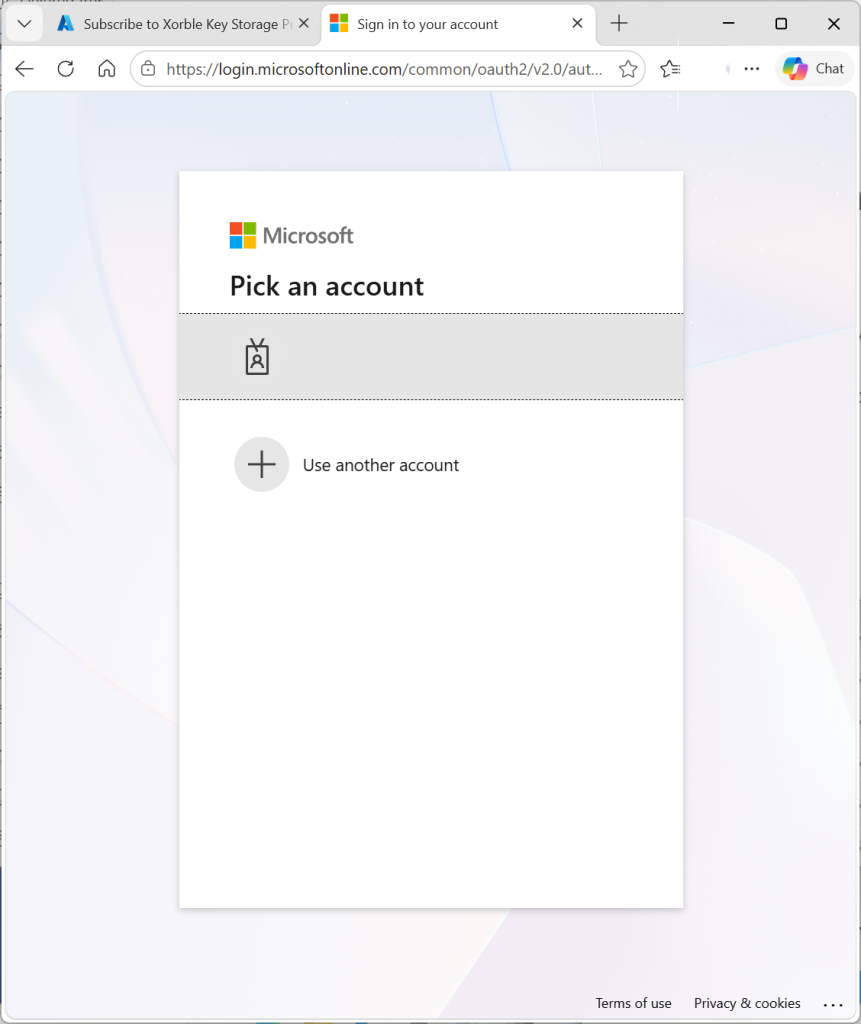
Subscribing to the New Account
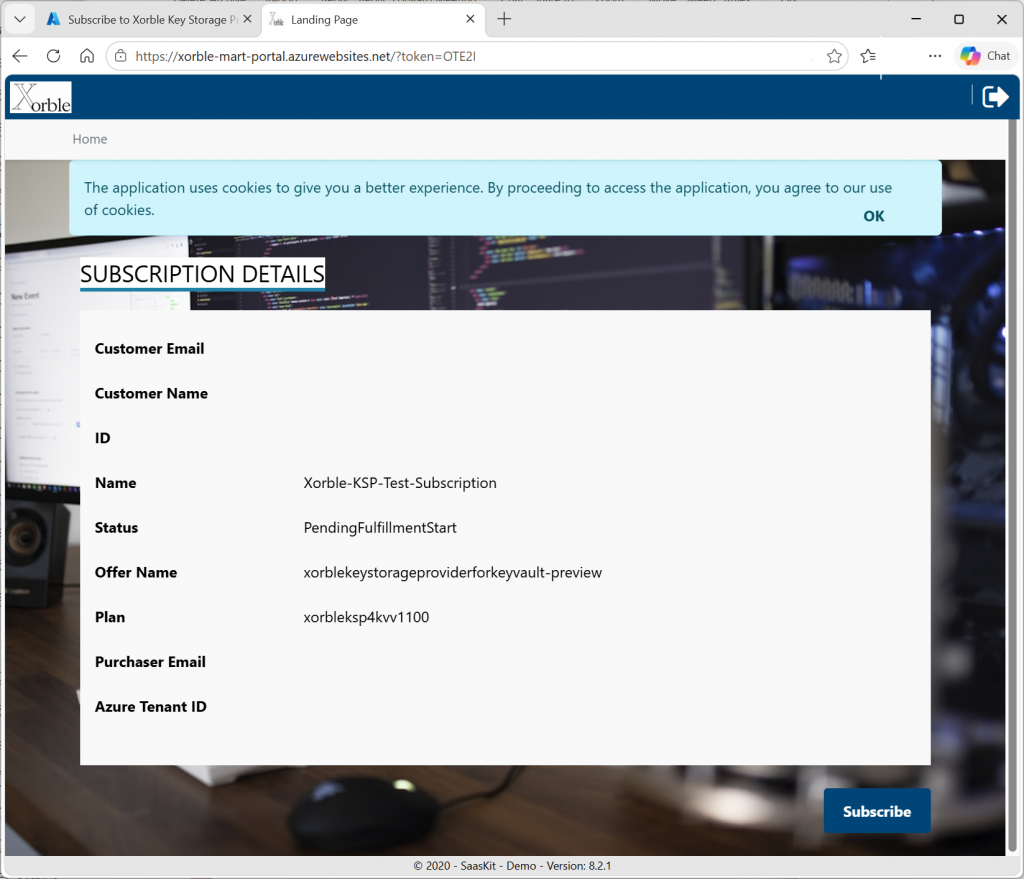
The links will take you to https://xorble-mart-portal.azurewebsites.net to complete the new account Subscription. You will need to authenticate against the portal and approve access. This will then take you to the landing page where you can finally Subscribe to the SaaS Offer as shown below:
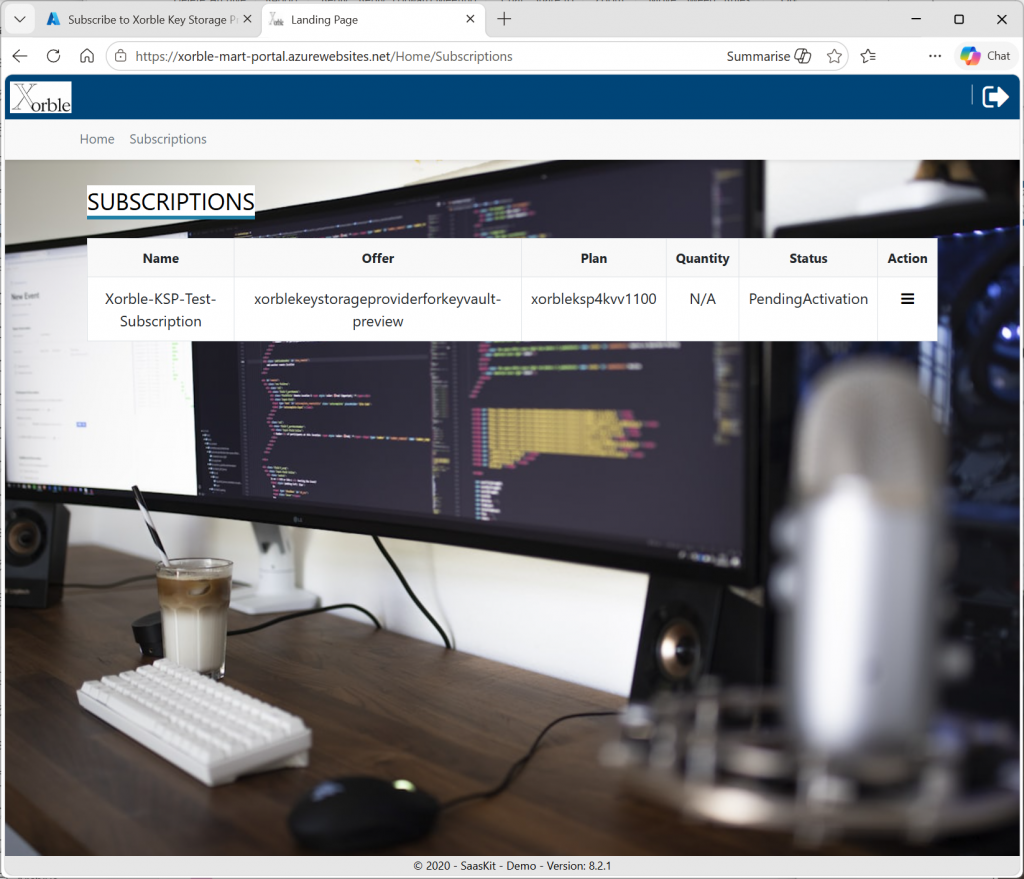
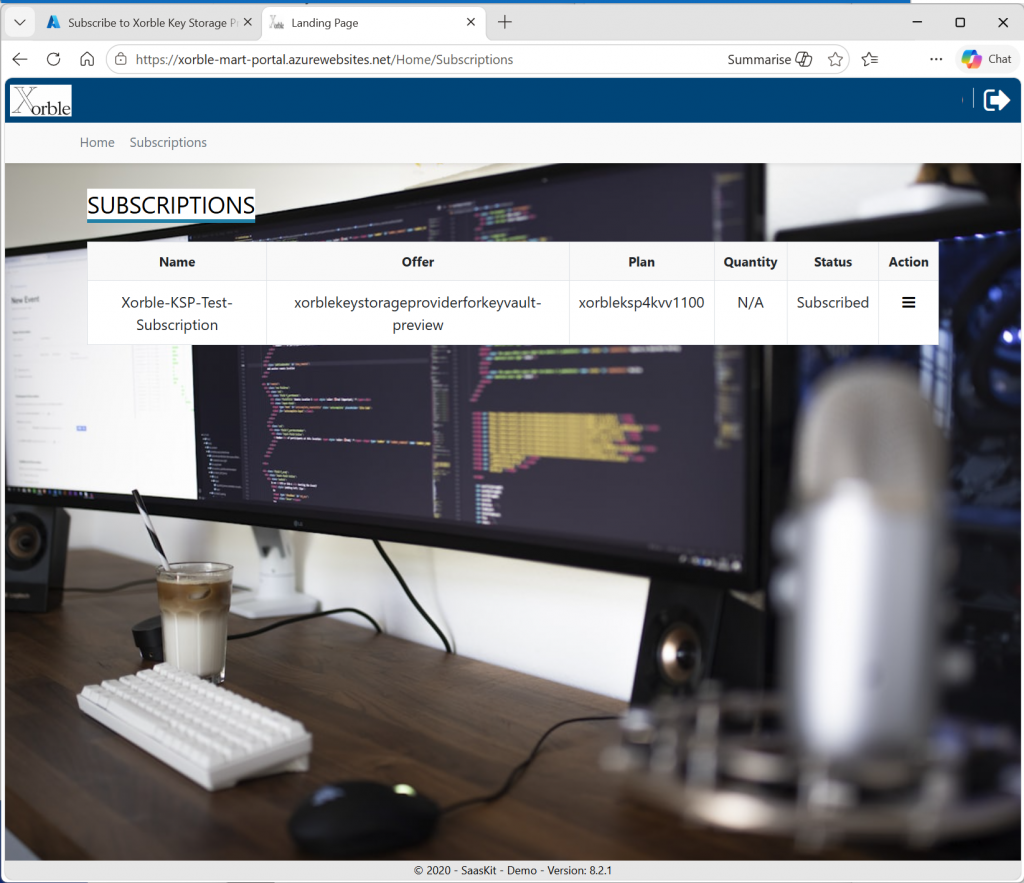
Processing of this subscription should take a few seconds. After processing, the Subscription should update to the “PendingActivation” state as shown below. After this is done Xorble support will approve the Subscription.
Azure Key Vault Pricing and Costs
All costs associated with the Key Vault itself will be paid direct to Microsoft as with any other Key Vault. Key Vault costs are documented at https://azure.microsoft.com/en-us/pricing/details/key-vault/ and not repeated here.